For Joomla #
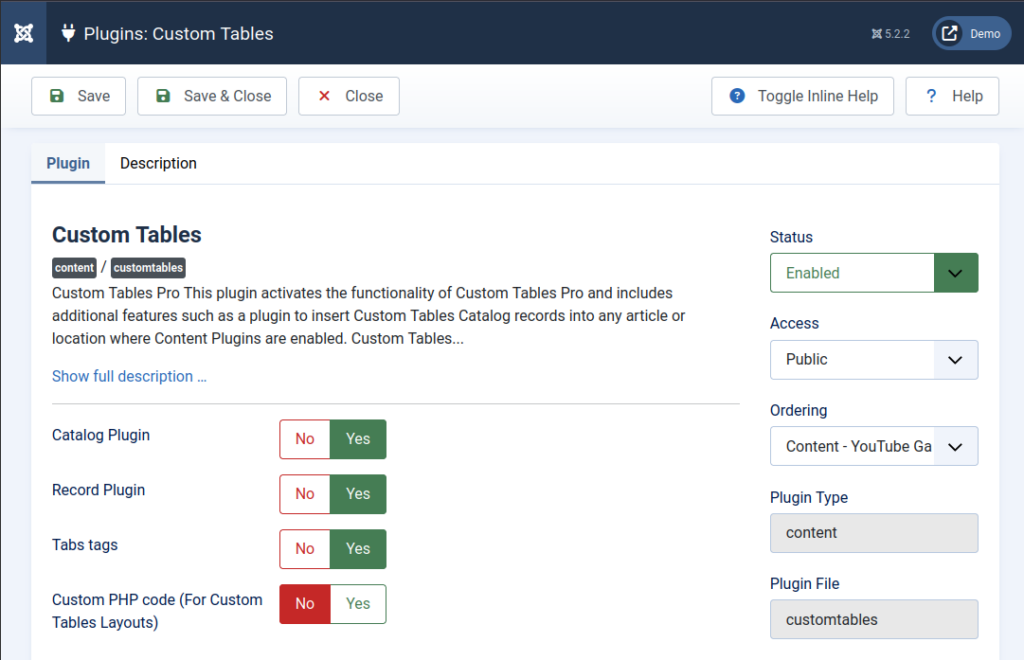
This plugin activates the functionality of Custom Tables Pro and includes additional features such as a plugin to insert Custom Tables Catalog records into any article or location where Content Plugins are enabled.
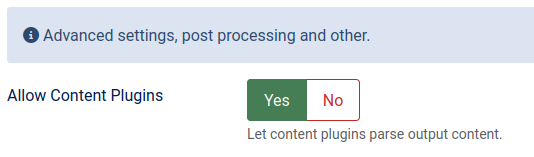
Enable “Allow Content Plugins” in the menu item parameters to use this functionality.
Custom Tables Catalog #
{customtablescatalog=Table Name,|Page Layout Name|,|Item Layout Name|,|Publish State|,|Filter|,|Sort by Field|,|Force Itemid|,|Limit|}- Table Name – Existing Custom Tables table.
- Page Layout Name (Optional): Simple Catalog or Catalog Page layout to generate a catalog page.
- Item Layout Name (Optional): Catalog Item layout used with Catalog Page only.
- Publish State (Optional): Filter to show published or unpublished records or both (Options: showpublished, showunpublished, any)
- Filter (Optional): ‘Where clause’ to extract specific records fulfilling a condition, and a limit clause for the number of records.
- Sort by Field (Optional): Field name to sort by.
- Force Itemid (Optional): Used to set parameters for edit form or apply permissions.
- Limit (Optional): Limit the number of records.
Examples #
Insert records from products table using default layout:
{customtablescatalog=products} Insert records from products table as described in List of Product layout, records must be published and the price more than 0, also sort records by name field:
{customtablescatalog=products,ListOfProduct,,published,price>0,name} Insert records from products table using default layout and sort records by price field in descending order:
{customtablescatalog=products,,,,,price desc} Twig #
When you are calling the plugin from the inside of a layout, you can use Twig tags inside the parameter but enclose them with quotes.
Insert published records from countries table using default layout where code field = ‘pa’, and limit the output to 5 records:
{customtablescatalog=countries,,,published,"code={{ 'p' ~ 'a'}}",,,5}Custom Tables Record #
{customtablesrecord=Table Name,Layout Name,Record ID or Filter}- Table Name: Existing Custom Tables table;
- Layout Name: Existing Layout name or blank then default layout will be generated;
- Record ID or Filter: 1,2,3 or a condition like “price>1”.
Examples #
Insert a country details using default layout from the record with Id = 1:
{customtablesrecord=countries,,1}Insert a record from “purchases” table generated using “purchaseDetails” layout and where “user” = current user id:
{customtablesrecord=purchases,"purchaseDetails","user={{user.id}}"}Tabs #
{tab:Lorem}
Lorem ipsum dolor sit amet, consectetur adipiscing elit. Pellentesque ac nulla sit amet neque vestibulum ullamcorper. Integer tincidunt arcu nec velit pharetra, ac consequat metus molestie.

{tab:Curabitur}
Curabitur at libero in eros sollicitudin accumsan. Suspendisse potenti. Aenean vel libero quis turpis scelerisque auctor non eget lacus. Quisque feugiat, felis sed fermentum tincidunt, mauris elit aliquet magna.
{/tabs}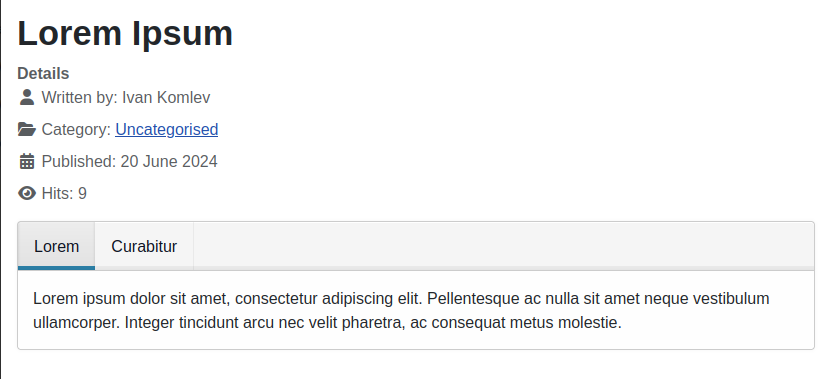
Custom PHP #
Enables Custom PHP file execution on Add and Save record events.
More Here: Custom PHP Event Handler for Custom Tables in Joomla


Leave a Reply
You must be logged in to post a comment.